
 on
on
เรื่องราวมันเกิดเพราะเมื่อสิบสามวันที่แล้วทางอินเทลได้เปิดตัว Intel SSD และด้วยความอยากเล่นเอง ผมเลยเมลไปถามทางอินเทลว่าพอจะมีของทดสอบให้เล่นไหม
คำตอบที่ได้คือของมาสัปดาห์นี้... และตอนนี้มันก็มาอยู่ในมือผมแล้วครับ
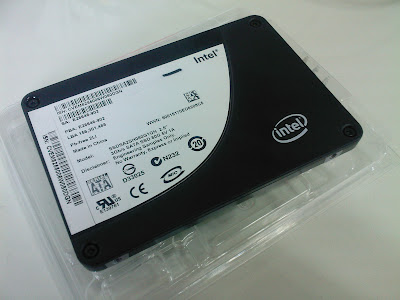
คำถามประจำวันนี้เลยเป็นว่า สมาชิก Blognone ทุกท่านอยากรู้อะไรเกี่ยวกับมันบ้างครับ ผมจะพยายามลองทุกอย่างเท่าที่จะลองได้แล้วมารายงานทุกท่านกันเรื่อยๆ ในข่าวนี้
ว่าแล้วก็เริ่มเลยครับ



























นอกจากการ
tong053 Mon, 22/09/2008 - 12:54
นอกจากการทดสอบที่ตามปกติต้องทำเพื่อดู performance แล้ว อยากดูเรื่องอุณหภูมิขณะทำงานหนักๆ กะความทนกัยการกระแทกตอนทำงานอยู่ (อันหลังนี่ขอมากไปมั้ยนะ :P )
กระแทกนี่
lew Mon, 22/09/2008 - 13:01
In reply to นอกจากการ by tong053
กระแทกนี่ไม่ไหวอ่ะครับ 600 เหรียญ - -"
LewCPE
กำลังจะถา
javaboom Mon, 22/09/2008 - 13:14
In reply to กระแทกนี่ by lew
กำลังจะถามเหมือนกันเลยครับ ดูสเปคแล้วเห็นว่า Operating Shock มันทนได้ 1000 G / 0.5 ms. ก็ทดสอบเป็น 1 G / 0.5 s. ปกติเขาทดสอบกันไงอันนี้คงต้องวางแผนกันหน่อยครับ ไม่งั้นคงต้องทดสอบเรื่องนี้เป็นอันสุดท้าย แต่เข้าใจครับ $600 คงปล่อยให้เจ้าอื่นทดสอบดีกว่า
อยากให้ทดสอบ Hot Plug ว่ามันใช้เวลานานเท่าไหร่ วัด setup time แบ่งออกเป็นเวลาย่อยๆได้จะดีมากๆครับ
Sivadon Chaisiri (JavaBoom)
http://javaboom.wordpress.com
อัตราการบ
tekkasit Mon, 22/09/2008 - 12:58
อัตราการบริโภคไฟฟ้า จะประหยัดในกรณีใช้งานปกติ เมื่อเทียบกับ HDD รึเปล่า
อุณหภูมิ ตอนทำงาน/peak
ความเร็วในการอ่าน burst, sustain
+1 ส่วนตัวท
BonBon Mon, 22/09/2008 - 14:09
In reply to อัตราการบ by tekkasit
+1
ส่วนตัวที่อยากรู้จริงๆของ SSD นี่เปรียบเทียบจุดแข็งของเขาเรื่องอัตรากินไฟ (idle, burst) ครับ
เทียบกับ hdd ปรกติ
I’m still can’t find a
lew Mon, 22/09/2008 - 17:57
In reply to อัตราการบ by tekkasit
I'm still can't find a thermometer so I can't tell tell you how hot it is. But from my finger, it's significantly cooler than HDD.
Looking for a real thermometer.
LewCPE
ถ้าให้ผมล
Bongbank Mon, 22/09/2008 - 13:23
ถ้าให้ผมลิสเป็นข้อๆ ก็ - R/W Speed - อุณหภูมิขณะใช้งานต่างๆ เริ่มตั้งแต่เปิดเึครื่อง , ใช้งานทั่วไปไปซักพัก , ใช้งานหนักที่ต้องใช้ SSD ทำงานมากหน่อย - แรงกระแทก (อันนี้ก็ไม่รู้จะเทสยังไงดี) - ราคาที่จะเปิดตัว คุ้มค่ากับคุณภาพไหม
ได้มาฟรีๆ
evo_toon Mon, 22/09/2008 - 13:29
ได้มาฟรีๆเลยหรือปล่าวครับ
เค้าไม่ได
althema Mon, 22/09/2008 - 13:33
In reply to ได้มาฟรีๆ by evo_toon
เค้าไม่ได้ให้เลยครับ
แค่ให้มาทดสอบ เพื่อเขียนบทความวิจารณ์ลงเว็บ หรือหนังสือนิตยสาร อะไรทำนองนี้ครับ
ทดสอบเสร็จก็ส่งกลับ
จำนวนครั้
icez Mon, 22/09/2008 - 13:53
จำนวนครั้งที่เขียนทับได้?
พอไหวมั้ยครับ
ตัวเลขในส
lew Mon, 22/09/2008 - 13:55
In reply to จำนวนครั้ by icez
ตัวเลขในสเปคมันระบุว่าเขียนได้ 100GB ทุกวันเป็นเวลา 5 ปีครับ
LewCPE
งั้นคงจะ
Tux-Linux Mon, 22/09/2008 - 17:24
In reply to ตัวเลขในส by lew
งั้นคงจะ lower bound ได้ว่า ถ้าเขียนไม่ถึง 100GB ต่อวัน ก็ใช้ได้ขั้นต่ำ 5 ปี ถ้าไม่เสียเพราะอย่างอื่นก่อน ถ้ามองงี้ก็คงไม่ต่างกับ HDD ทั่วไปสิ (หรือป่าว) ??
การเขียนก
tasanakorn Mon, 22/09/2008 - 14:26
การเขียนการอ่านความทนทาน น่าจะอยู่ใน spec อยู่แล้ว (ถึงแม้จะแคลมก็เถอะ)
ผมว่าไปทางใช้งานจริงเลยดีกว่า...
ว่า Install Linux/Windows ใช้เวลากี่นาที ..
Install แล้ว Boot เฉลี่ยกี่นาที ต้องปรับอะไร เพื่อให้ Boot เร็วขึ้นหรือเปล่า ..
กด Hibernate แล้วใช้เวลากี่นาที ..
ถ้าเราสั่ง Search / find / grep ชื่อไฟล์ หรือ ข้อมูลในไฟล์เวลาจะมากกว่าหรือน้อยกว่า HDD แบบจานแม่เหล็ก
http://www.thdiy.com
+1 โหวตครับ
heha Mon, 22/09/2008 - 14:53
In reply to การเขียนก by tasanakorn
+1 โหวตครับ ^^
My Blog -> http://paiboonpa.wordpress.com
+1
cwt Mon, 22/09/2008 - 15:55
In reply to การเขียนก by tasanakorn
+1
from Lenovo R61 T7100
lew Mon, 22/09/2008 - 17:46
In reply to การเขียนก by tasanakorn
from Lenovo R61 T7100 3GB-DDR2
Program Launch
LewCPE
This is from a clean
lew Mon, 22/09/2008 - 18:01
In reply to การเขียนก by tasanakorn
This is from a clean installed Ubuntu 8.10 alpha6
root@wason-ssd:/home/wason# time find / -name bin >/dev/null
real 0m0.683s
user 0m0.316s
sys 0m0.364s
LewCPE
เร็วมาก! O_o
lancaster Mon, 22/09/2008 - 20:47
In reply to This is from a clean by lew
เร็วมาก! O_o
Again, from clean install of
lew Mon, 22/09/2008 - 21:17
In reply to การเขียนก by tasanakorn
Again, from clean install of Ubuntu 8.10
wason@wason-ssd:~$ time sudo tar czf out.tgz /usr

tar: Removing leading `/' from member names

tar: Removing leading `/' from hard link targets
real 3m31.601s
user 2m59.687s
sys 0m19.685s
Then, power history of this test.
LewCPE
อย่าลืมทด
kohsija Mon, 22/09/2008 - 14:27
อย่าลืมทดสอบกลางแดดด้วยนะ อยากรู้ว่าทำงานกลางแดดจะร้อนเท่าไหร่
[Kohsija](http://kohsija.exteen.com "จุ๊กกรู...")
R/W Speed
mbdsc28 Mon, 22/09/2008 - 14:53
R/W Speed
ระหว่าง File ย่อยๆ หลายๆ File กับ File ใหญ่ File เดียว ขนาดเท่าๆกัน
(มันจะเหมือน SD Card ไหมนี่)
อุณหภูมิ มีผลต่อการทำงานของ SSD ไหม - เล่นในห้องร้อน (ซาวน์น่า) กะ ห้องเย็น (Server) ^^"
ปล. 365x5 = 1,825 x อีก100 = 182,500 GB ใช้งานจริง จะถึงไหมนี่
ช่วยทดสอบ
creative Mon, 22/09/2008 - 15:12
และให้ก๊อปไฟล์เดียวกันนี้ใน HD ตัวที่ 2 มาไว้ใน SSD HD (เตรียมไฟล์ไว้ก่อนแล้วทั้ง 2 HD)
เพื่อดูว่าประสิทธิภาพการอ่านเขียนจะเหลือเท่าไร
คิดว่ามันเด่นเรื่องแอคเซสไทม์มาก ๆ แต่ไม่รู้จะทดสอบอะไร ที่ใช้งานกันจริง ๆ
ที่นึกออกมีแค่ search กับ เปลี่ยนชื่อไฟล์นิด ๆ หน่อย ๆ เองครับ
มีโปรแกรม
lew Mon, 22/09/2008 - 15:12
In reply to ช่วยทดสอบ by creative
มีโปรแกรมทดสอบอะไรแนวนี้เปล่าครับ ผมมีเวลากับมันแค่สี่วัน คงเขียนโปรแกรมเองไม่ทัน
LewCPE
ไม่ทราบว่
javaboom Mon, 22/09/2008 - 17:24
In reply to มีโปรแกรม by lew
ไม่ทราบว่าที่ผมรู้จักมันใช่ที่ต้องการกันหรือเปล่า ถ้าไม่โดนใจคงต้องหา benchmark ตัวอื่นที่เขานิยมใช้ในฟิลด์นี้แล้วครับ (ซึ่งผมไม่ชำนาญ)
xdd ครับ ตัวนี้ที่ทำงานผมเขาใช้วัด storage I/O บน cluster ครับ และใช้กับเครื่องเดี่ยวๆก็ได้
http://www.ioperformance.com/
อีกตัวคือ Threaded I/O tester (tiobench)
http://sourceforge.net/projects/tiobench/
Sivadon Chaisiri (JavaBoom)
http://javaboom.wordpress.com
result from tiobench It’s
lew Mon, 22/09/2008 - 17:51
In reply to ไม่ทราบว่ by javaboom
result from tiobench
It's quite strange that randomization affect writing speed. (20MBps in random vs. 60MBps in sequential)
The reading speed is extremely fast.
Run #1: /usr/bin/tiotest -t 8 -f 224 -r 500 -b 4096 -d . -TTT
Unit information
File size = megabytes
Blk Size = bytes
Rate = megabytes per second
CPU% = percentage of CPU used during the test
Latency = milliseconds
Lat% = percent of requests that took longer than X seconds
CPU Eff = Rate divided by CPU% - throughput per cpu load
Sequential Reads
File Blk Num Avg Maximum Lat% Lat% CPU
Identifier Size Size Thr Rate (CPU%) Latency Latency >2s >10s Eff
2.6.27-3-generic 1792 4096 1 345.76 70.62% 0.010 38.51 0.00000 0.00000 490
2.6.27-3-generic 1792 4096 2 ###### 383.0% 0.006 3.95 0.00000 0.00000 267
2.6.27-3-generic 1792 4096 4 912.80 670.1% 0.012 61.68 0.00000 0.00000 136
2.6.27-3-generic 1792 4096 8 ###### 1492.% 0.019 54.87 0.00000 0.00000 68
Random Reads
File Blk Num Avg Maximum Lat% Lat% CPU
Identifier Size Size Thr Rate (CPU%) Latency Latency >2s >10s Eff
2.6.27-3-generic 1792 4096 1 398.19 91.74% 0.008 0.14 0.00000 0.00000 434
2.6.27-3-generic 1792 4096 2 927.30 332.3% 0.007 0.15 0.00000 0.00000 279
2.6.27-3-generic 1792 4096 4 921.29 165.0% 0.011 8.41 0.00000 0.00000 558
2.6.27-3-generic 1792 4096 8 896.44 413.1% 0.009 4.52 0.00000 0.00000 217
Sequential Writes
File Blk Num Avg Maximum Lat% Lat% CPU
Identifier Size Size Thr Rate (CPU%) Latency Latency >2s >10s Eff
2.6.27-3-generic 1792 4096 1 63.06 38.86% 0.058 947.98 0.00000 0.00000 162
2.6.27-3-generic 1792 4096 2 64.82 92.02% 0.108 1082.81 0.00000 0.00000 70
2.6.27-3-generic 1792 4096 4 64.20 219.2% 0.227 1404.16 0.00000 0.00000 29
2.6.27-3-generic 1792 4096 8 61.38 389.0% 0.435 1603.03 0.00000 0.00000 16
Random Writes
File Blk Num Avg Maximum Lat% Lat% CPU
Identifier Size Size Thr Rate (CPU%) Latency Latency >2s >10s Eff
2.6.27-3-generic 1792 4096 1 25.81 15.20% 0.011 0.30 0.00000 0.00000 170
2.6.27-3-generic 1792 4096 2 16.44 30.29% 0.036 22.59 0.00000 0.00000 54
2.6.27-3-generic 1792 4096 4 22.20 62.51% 0.037 16.24 0.00000 0.00000 36
2.6.27-3-generic 1792 4096 8 21.54 65.08% 0.076 24.95 0.00000 0.00000 33
______
LewCPE
FYI, I can’t find deb
lew Mon, 22/09/2008 - 17:52
In reply to ไม่ทราบว่ by javaboom
FYI, I can't find deb package for xdd.
LewCPE
********UPDATE********** bin
javaboom Mon, 22/09/2008 - 20:52
In reply to FYI, I can’t find deb by lew
UPDATE**
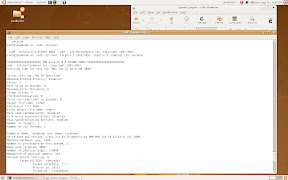
binary ของ xdd มันอยู่ไม่ไกลเลยครับ ภายใน source ที่ดาวน์โหลดมา มันอยู่ใน bin/ เองครับ รันได้เลย เช่น xdd.linux ก็ chmod ให้มัน execute ได้ ก็รันได้เลยครับ มีไฟล์ xdd.exe สำหรับ Windows ให้ด้วย แนะนำให้ใช้ xdd ครับ มี doc ที่เขียนละเอียดพอควร
เพื่อความปลอดภัยผมลอง xdd บน Virtual machine ที่ลง Ubuntu ผลที่ได้คือเวิร์คครับ ตามภาพ
Sivadon Chaisiri (JavaBoom)
http://javaboom.wordpress.com
From javaboom’s comment
lew Mon, 22/09/2008 - 21:08
In reply to ไม่ทราบว่ by javaboom
From javaboom's comment and a web. I ran this code:
sudo dd if=/dev/zero of=./test.2G count=2048 bs=1M

sudo ./xdd.linux -op read -targets 1 ./test.2G -rwratio 100 -queuedepth 1 -blocksize 1024 -reqsize 128 -mbytes 2048 -passes 2 -verbose>out.txt
The outcome is as following:
IOIOIOIOIOIOIOIOIOIOI XDD version 6.5.013007.0001 IOIOIOIOIOIOIOIOIOIOIOI

xdd - I/O Performance Inc. Copyright 1992-2007

Starting time for this run, Mon Sep 22 20:03:18 2008
ID for this run, 'No ID Specified'
Maximum Process Priority, disabled
Passes, 2
Pass Delay in seconds, 0
Maximum Error Threshold, 0
Target Offset, 0
I/O Synchronization, 0
Total run-time limit in seconds, 0
Output file name, stdout
CSV output file name,
Error output file name, stderr
Pass seek randomization, disabled
File write synchronization, disabled
Pass synchronization barriers, enabled
Number of Targets, 1
Number of I/O Threads, 1
Computer Name, wason-ssd, User Name, wason
OS release and version, Linux 2.6.27-3-generic #1 SMP Wed Sep 10 16:02:00 UTC 2008
Machine hardware type, i686
Number of processors on this system, 1
Page size in bytes, 4096
Number of physical pages, 771607
Megabytes of physical memory, 3014
Seconds before starting, 0
Target[0] Q[0], ./test.2G
Target directory, "./"
Process ID, 10749
Thread ID, -1243030640
Processor, all/any
Read/write ratio, 100.00, 0.00
Throttle in MB/sec, 0.00
Per-pass time limit in seconds, 0
Blocksize in bytes, 1024
Request size, 128, blocks, 131072, bytes
Number of Requests, 16384
Start offset, 0
Number of MegaBytes, 2048
Pass Offset in blocks, 0
I/O memory buffer is a normal memory buffer
I/O memory buffer alignment in bytes, 4096
Data pattern in buffer, '0x00'
Data buffer verification is disabled.
Direct I/O, disabled
Seek pattern, sequential
Seek range, 1048576
Preallocation, 0
Queue Depth, 1
Timestamping, disabled
Delete file, disabled
TARGET PASS0001 0 1 2147483648 16384 0.806 2665.351 20335.01 0.0000 0.01 read 131072
TARGET PASS0002 0 1 2147483648 16384 0.782 2745.806 20948.83 0.0000 0.01 read 131072
TARGET Average 0 1 4294967296 32768 1.588 2704.980 20637.36 0.0000 0.01 read 131072
Combined 1 1 4294967296 32768 1.588 2704.980 20637.36 0.0000 0.01 read 131072
Ending time for this run, Mon Sep 22 20:03:20 2008
I anyone need others testing arguments, please tell me.
LewCPE
HDTune
kowito2 Mon, 22/09/2008 - 19:29
In reply to มีโปรแกรม by lew
HDTune น่าจะใช้ได้นะ
ข้อ 1 และ 2
creative Mon, 22/09/2008 - 15:23
ข้อ 1 และ 2 ใช้ไฟล์รูปภาพก็ได้ครับ
แล้วใช้ Faststone ทำ Tools > Batch Convert / Rename
http://www.faststone.org/
ถ้ามีเวลา พ่วง Resize หรืออื่น ๆ ด้วยก็ได้ครับ น่าจะมีคนใช้งานด้านนี้อยู่
ตามเวปต่าง ๆ มีทดสอบทรูพุต Read/Write กันบ้างแล้ว
เราทดสอบใช้งานจริงในงานด้านต่าง ๆ น่าจะดีครับ
ขอบคุณครับ
ผมว่าทั่ว
lingjaidee Mon, 22/09/2008 - 19:30
ผมว่าทั่วๆไปเราก็คงสงสัยกัน 2-3 เรื่องน่ะครับ
1.ความเร็วในการทำงาน อ่าน-เขียน ไฟล์เล็ก ไฟล์ใหญ่ หลายๆไฟล์พร้อมๆกัน
หรือแม้กระทั่งการค้นหาไฟล์
2.ความร้อนที่เกิด หรือปริมาณการกินไฟขณะทำงาน แต่คงต้องลอง 24 ชม.
(จะมีเวลาไหมเนี่ย)
3.ประสิทธิภาพในการกู้ไฟล์ (หรือจะอยู่ที่ software มากกว่าหว่า)
ส่วน tool ที่จะใช้นั้น ยังนึกไม่ออกเลยครับ -_-'
Review แล้ว
Marque Mon, 22/09/2008 - 19:36
Review แล้ว อย่าลืมสรุปให้สมาชิกได้ทราบผลด้วยนะครับ
(เผื่อมีบางท่านชอบอ่านแบบรวบยอดทีเดียว ไล่ตามอ่านทีละ Rep ออกจะงงๆน่ะครับ อิอิ)
+1
evo_toon Mon, 22/09/2008 - 22:32
+1
รวบยอดขอส
bankkung Mon, 22/09/2008 - 23:23
รวบยอดขอสั้นๆ คุ้มค่าที่จะย้ายจาก SerialATA แบบจานหมุนไปเป็น SerialATA แบบ SSD ไหม?
ทดสอบพวก
DoraeMew Mon, 22/09/2008 - 23:32
ทดสอบพวก Startup time ของ OS ด้วยได้ป่าวนิ
จำได้ว่าเคยเห็นพวก Tomshardware เอามาทดสอบเวลาบูท Windows XP, Vista ว่าแตกต่างกับฮาร์ดดิสก์แบบจานหมุนเท่าไร
+1 ครับ
artemis Tue, 23/09/2008 - 13:21
In reply to ทดสอบพวก by DoraeMew
+1 ครับ อยากให้ทดสอบหลายๆ OS จะได้รู้ไปเลยว่า hardware แรงแล้ว ถ้าช้าจะได้โทษ software อิอิ
เพื่อความ
lew Tue, 23/09/2008 - 13:39
In reply to ทดสอบพวก by DoraeMew
เพื่อความง่าย ผมเลยถ่ายภาพเวลาบูตเครื่องมาให้ดูกันเลยครับ
Ubuntu 8.10 Intrepid Ibex บน ThinkPad R61 T7100 DDR2 3GB
LewCPE
ขอบคุณคร้
DoraeMew Tue, 23/09/2008 - 16:21
In reply to เพื่อความ by lew
ขอบคุณคร้าบ :)
รู้สึกว่าเร็วดีเหมือนกันนะเนี่ย ดูแล้วไม่หน่วงอะไร
ขอให้มีเวอร์ชั่น mini PCI Express ทีเถ้อ จะได้เอาไปใส่ Eee PC เสียหน่อย :P
ตกลงเร็วก
azx Wed, 24/09/2008 - 02:21
In reply to เพื่อความ by lew
ตกลงเร็วกว่าเดิมเปล่าครับ
แกล้งทำหล
ibirdboy Tue, 23/09/2008 - 12:14
แกล้งทำหล่น ได้ไหมครับ?
จับแ้ล้วไ
kohsija Tue, 23/09/2008 - 18:36
จับแ้ล้วไฟดูดมั๊ยครับ
[Kohsija](http://kohsija.exteen.com "จุ๊กกรู...")